Introduction to GA4 and Session Management
Understanding GA4 and Session Basics
Google Analytics 4, or GA4, is a tool for web analytics. It helps businesses learn about website and app visitors. One big part of GA4 is session management. A session is a group of actions by a user in a set time. For example, if a person clicks a link, watches a video, or fills a form, these all count as part of a session. Tracking sessions lets you see user behavior and how people move through your site. This is also key for measuring bounce rate and session duration. You can use GA4’s visualization tools to see trends and patterns in your traffic sources.
A common question is: does GA4 start a new session at midnight? The answer is yes. GA4 starts a new session at midnight based on your property’s timezone. This means if a user is active before and after midnight, their actions are split into two separate sessions. This is important for understanding your customer journey and daily data tracking.
How GA4 Manages Sessions
Session management in GA4 uses a session_start event. This event marks when a user opens your website or app. Each session gets a unique ID. The GA4 session start meaning is simple: it tracks when a user begins a visit. You may sometimes notice a ga4 session start missing in your reports. This can happen if the user’s activity does not trigger any trackable events after midnight or after being inactive for more than 30 minutes.
Sessions can end in two ways: by session timeout or the midnight rule. The session timeout happens after 30 minutes of no activity. You can change this setting if needed. The midnight rule is fixed—when the clock hits midnight, GA4 starts a new session, no matter what.
Custom Dimensions and Improving Insights
GA4 lets you use custom dimensions for better session management. Custom dimensions collect extra details about a session, like traffic sources or content viewed. This helps you get deeper insights into how users interact with your site. A table can help show how sessions might look before and after midnight:
| Time | Session ID | Action |
|---|---|---|
| 11:55 PM | 1234 | User views product |
| 12:01 AM | 5678 | User adds to cart |
With GA4, you can track session duration, bounce rate, and user behavior more closely. Understanding how GA4 handles new sessions at midnight gives you better control over your web analytics and helps you make decisions using real data.
What Is a Session in GA4?
Understanding GA4 Sessions
A session in GA4 is a group of user actions on your website or app within a set time. These actions include viewing pages, clicking links, or making a purchase. The session starts with a special event called session_start. This is what people mean by “GA4 session start meaning.” Each session gets a unique ID and a session number to help track all the actions. This way, web analytics tools can show how users move through a site.
Unlike the old Universal Analytics, GA4 tracks sessions even more closely. The session ends after 30 minutes of no activity by default. This is called a session timeout. But does GA4 start a new session at midnight? Yes. Every night at midnight, GA4 starts a new session, even if the user is still active. This is called “GA4 session midnight.” It helps split data by day for better reporting.
How Sessions Work: Timeouts and Midnight Splits
Sessions stop in two main ways: when a user is inactive for the timeout period, or when midnight in your GA4 property’s timezone happens. If someone browses your site from 11:50 PM to 12:10 AM, GA4 sees two sessions. One ends at midnight and the next starts right after. This makes it easier to see daily activity, even though some sessions are split up. The session duration resets after midnight, so your bounce rate or average session numbers may look different.
If you notice GA4 session start missing in your reports, check if sessions split at midnight or if users were inactive. Understanding these splits helps in session management and makes data easier to visualize. You can see how long people stay, which pages they visit, and how traffic sources bring users to your site.
Customizing and Using Session Data
Session data in GA4 can be customized in many ways. You can use custom dimensions to go deeper into user behavior. This means you can map the customer journey and see which traffic sources perform best. Marketers use GA4 new session data to test site changes or improve bounce rate. Connecting GA4 to BigQuery can give you even more detailed session reports for advanced visualization.
Using GA4 sessions well helps you understand user journeys, spot trends in web analytics, and make smart decisions. Session management is a key part of digital marketing. It helps businesses know how people interact and what keeps them coming back.
Does GA4 Start a New Session at Midnight?
What Happens to Sessions at Midnight in GA4?
A common question is: does GA4 start a new session at midnight? The answer is yes. GA4 starts a new session when the clock hits midnight in your property’s set timezone. This means if a user is still active on your site as the day changes, GA4 ends the current session and creates a new one at exactly midnight. This rule helps web analytics tools keep data for each day separate.
For example, if a user is shopping at 11:59 PM and keeps browsing after midnight, GA4 session midnight rules will split their visit. One session covers time before midnight, and a new GA4 new session starts just after. This helps teams see how much activity happens each day, and makes reporting daily numbers easier.
Why Does GA4 Split Sessions at Midnight?
This split is important for accurate session management and traffic sources analysis. By separating sessions at midnight, GA4 can clearly report on what happened each day. This is key when looking at metrics like session duration or bounce rate. Visualization tools show more honest data for each calendar day, even if it means one user has two sessions in a row.
Sometimes, users notice a GA4 session start missing from their data. This can happen if the user is not active exactly as the new day starts, or if there is a delay in data collection. Most of the time, though, GA4 captures these session changes correctly. It’s important to remember the session timeout setting, usually 30 minutes, also plays a role in when sessions end and start.
How Does This Affect User Behavior and Reporting?
GA4 session start meaning is simple: it marks when a user’s activity begins. With the midnight rule, marketers might see more sessions counted, especially if users stay active on a site late at night. This can affect metrics like average session duration and bounce rate, making them look different than expected.
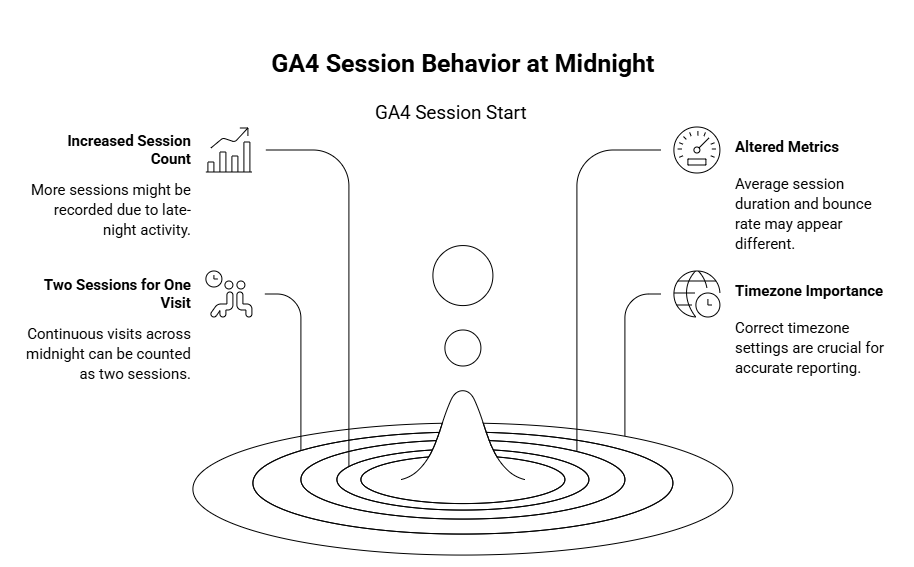
For those tracking customer journey or using custom dimensions, it’s helpful to know how GA4 handles a session at midnight. Reports might show two sessions for one continuous visit. Teams should check their property’s timezone settings to make sure they are right for their business. Setting the right timezone ensures session splits match your work hours and traffic patterns.
Session Timeout and User Engagement
How GA4 Handles Session Timeout
When looking at web analytics, understanding session timeout is important. In GA4, a session is a group of a user’s actions on your website or app. The session starts when a user visits your site or app. By default, GA4 ends a session after 30 minutes of no activity. This is called a session timeout. If the user returns after 30 minutes, GA4 starts a new session. You can change the timeout in the settings to fit your needs.
A key point many ask is, “Does GA4 start a new session at midnight?” The answer is yes. Even if a user is active, GA4 cuts off the session at midnight. At this time, a GA4 new session begins. This helps reporting by matching activity to single days. It is important for tracking traffic sources, bounce rate, and session duration.
Impact on User Behavior and Visualization
Session timeout and midnight resets affect how we see user behavior. For example, if someone shops on your site from 11:50 PM to 12:10 AM, GA4 will show two sessions. Each session will have its own session ID. This split can make session counts look higher and session duration seem shorter.
Using visualization tools in web analytics, you can see when new sessions start. This helps understand when users are active and how long they stay. If you see GA4 session start missing, it may be due to these rules or a delay in data.
Here is a simple table showing session start behavior:
| Time of Activity | Session Start | New Session |
|---|---|---|
| 11:45 PM | Yes | No |
| 12:01 AM | Yes | Yes |
| 12:30 AM | No | No |
Custom Dimensions and Customer Journey
Session management in GA4 lets you use custom dimensions to learn more about your audience. You can track which pages matter most or how users move through your site. This shows the full customer journey, even when sessions split at midnight.
Tracking session duration and bounce rate across session splits gives new insights. You can learn when and why visitors leave. Knowing that GA4 starts a new session at midnight helps you make sense of these numbers and improve your site or app.
Visualizing Session Data in GA4
Understanding How GA4 Tracks Sessions
In Google Analytics 4, sessions help show user behavior on your website or app. The big question is, does GA4 start a new session at midnight? Yes, GA4 does start a new session when the clock hits midnight based on your property’s timezone. This rule helps keep daily reporting clear, but it can make session counts look higher if users are active during this time. Session management in GA4 uses the session_start event. This event marks when someone begins interacting, and it signals a GA4 new session. If you see ga4 session start missing in your data, check your tracking code and page setup.
Session data in GA4 includes session duration, traffic sources, and bounce rate. All this information helps you see how users interact with your site and where they come from. It also helps spot trends about when users are most active. For example, if many sessions start near midnight, you might see a jump in session numbers because of the ga4 session midnight reset.
Visual Tools for Session Data
GA4 provides many ways to visualize session data. You can use reports to see session counts by hour, day, or source. The Engagement overview report shows sessions, session duration, and bounce rate. These charts help spot times when ga4 session midnight splits user visits. Visualizations help you track how traffic sources affect user behavior and spot patterns in session duration.
Custom dimensions in GA4 let you segment data. For example, you can break down sessions by device type or country. This makes it easier to compare how different groups behave. Good visualization tools in web analytics make it simple to manage session data and improve your customer journey.
Table: Example Session Metrics in GA4
| Metric | Description |
|---|---|
| Sessions | Number of times users began interacting |
| Session Start | Event marking the start of a session |
| Session Duration | How long a session lasts before timeout |
| Bounce Rate | Percent of sessions with single interaction |
| Traffic Source | Where the user originated from |
Using Session Visuals for Better Insights
Visualizing session data helps answer questions like “does ga4 start a new session at midnight?” It also shows how session timeout and splits affect analytics. If you see a sudden rise in session numbers around midnight, it’s likely from the ga4 session midnight reset. GA4 session start meaning becomes clear when you connect metrics like session duration, bounce rate, and custom dimensions.
Tracking session data lets you map the full customer journey. This way, you can see how people navigate your site, what holds their interest, and when they leave. With clear charts and tables, you can spot if a ga4 new session starts by mistake or if there are any ga4 session start missing events. These insights help you improve web analytics and make better choices for your site or app.
Common Issues with Session Management in GA4
Midnight Session Resets and Their Effects
One common question is, does GA4 start a new session at midnight? The answer is yes. Every night, GA4 will create a new session if a user is still active when the clock hits midnight. This midnight reset happens no matter what the user is doing on the website. This can affect how sessions are counted, especially if a user starts using the website late at night and continues past midnight. The GA4 session midnight rule may lead to two sessions for one activity, splitting the user journey.
Because of this rule, you might see a higher session count or shorter session duration in your web analytics reports. This can also increase your bounce rate, which can make it hard to understand real user behavior. Marketers need to know that these split sessions can impact traffic sources and customer journey tracking. When using visualization tools to see web traffic, you should keep this in mind.
Issues with Session Starts and Missing Data
Some users report that the GA4 session start meaning is not always clear. Sometimes, the GA4 session start missing problem appears in reports. This can happen if the user’s connection drops or if there is a problem with the GA4 tag setup. Without a session_start event, visits might not be counted as sessions, leading to gaps in reporting.
When using GA4 new session rules, missed session starts can affect analysis of traffic sources and user behavior. If GA4 does not see a session start, it can also make custom dimensions and custom metrics less useful. This can harm the accuracy of your bounce rate and session timeout calculations. Double-check that your GA4 tags are firing correctly to avoid session start missing errors.
Complications with Session Timeout and Custom Dimensions
GA4 uses a default session timeout of 30 minutes. If a user is inactive for longer than this, a new session will start when they return. Sometimes, users adjust this session timeout, but forget how it impacts session management. This can cause confusion in session duration and reporting. If you set a very short timeout, you might see more GA4 sessions than expected, confusing your web analytics.
Custom dimensions add another layer of complexity. They help track detailed user behavior, but if session management is inconsistent, your custom dimensions might not show the real customer journey. Traffic sources can look scattered if sessions split at midnight or after a short timeout. Make sure to review your session timeout and custom dimension settings so your visualization tools show accurate data.
Conclusion: Optimizing Session Understanding for Better Analytics
Why Knowing About GA4 Session Midnights Matters
Many people ask, does GA4 start a new session at midnight? Yes, GA4 does. Each day at midnight, GA4 ends any session that is still active and starts a new one. This helps keep your web analytics data clean. It also makes it easier to see what happened each day. If a user keeps browsing past midnight, GA4 splits their activity into two sessions. This is key for tracking bounce rate, session duration, and customer journey clearly.
If you notice a ga4 session start missing in your reports around midnight, it could be due to the midnight reset. Understanding the ga4 session start meaning helps avoid confusion. When you know how the ga4 session midnight rule works, you can trust the session data and make better choices.
Making the Most of Visualization and Custom Dimensions
To get the most from your GA4 data, use powerful visualization tools. Charts and graphs show how the ga4 new session at midnight affects trends. You might spot changes in traffic sources or sudden drops in session duration due to the midnight split. Use custom dimensions to add more detail to your reports. For example, you can track which users have sessions that cross midnight. This helps you understand real user behavior beyond simple numbers.
Session management is also easier with these tools. If you need to study how session timeout and session duration change when midnight hits, custom reports and dimensions can help. This gives you clearer answers about ga4 new session and the impact on user flow.
Improving Insights into Traffic Sources and User Behavior
Understanding the ga4 session start meaning, and how the midnight reset affects your data, lets you spot real trends. You can see which traffic sources bring in users who stay past midnight and how their sessions look. This helps with customer journey mapping and finding ways to lower bounce rates.
Here are some tips for better analysis:
- Set your property timezone to match your main market
- Use custom dimensions for sessions crossing midnight
- Watch for ga4 session start missing events
By focusing on session management, you get a better view of user behavior. This leads to better web analytics and smarter choices for your site or app.
FAQ
What is a session in GA4?
A session in GA4 is a group of user actions on your website or app within a set time, such as viewing pages, clicking links, or making purchases. It starts with a special event called session_start and has a unique ID to track user activity.
Does GA4 start a new session at midnight?
Yes, GA4 starts a new session at midnight based on your property’s timezone. This means if a user is active before and after midnight, their actions are split into two separate sessions.
How does GA4 manage sessions?
GA4 uses the session_start event to mark when a user opens your website or app. Sessions end either by a 30-minute inactivity timeout or at midnight, when a new session begins regardless of user activity.
What causes a GA4 session start to be missing in reports?
Missing session starts can happen if the user’s activity doesn’t trigger any trackable events after midnight or after being inactive for more than 30 minutes. It can also result from issues with GA4 tag setup or data collection delays.
Can the session timeout period in GA4 be changed?
Yes, the default session timeout is 30 minutes of inactivity, but you can adjust this setting to better fit your tracking needs.
Why does GA4 split sessions at midnight?
Splitting sessions at midnight helps keep daily reporting clear and accurate by separating user activity by calendar day. This is important for analyzing metrics like session duration, bounce rate, and traffic sources.
How does the midnight session split affect metrics like bounce rate and session duration?
Because sessions are split at midnight, session counts may increase while individual session durations appear shorter. This can also affect bounce rate calculations, making metrics look different than expected.
What are custom dimensions in GA4 and how do they improve session insights?
Custom dimensions collect extra details about sessions, such as traffic sources or content viewed. They help provide deeper insights into user behavior and the customer journey, especially when sessions split at midnight.
How can visualization tools in GA4 help with session data analysis?
Visualization tools allow you to see session trends, counts by hour or day, session durations, and bounce rates. They help identify when new sessions start and how traffic sources affect user behavior.
What should I do if I notice GA4 session start missing events in my reports?
Check your GA4 tag setup and tracking code to ensure session_start events are firing correctly. Also, consider the effects of session timeouts and the midnight reset on your data.
How does GA4 handle user inactivity and session timeout?
If a user is inactive for more than the timeout period (default 30 minutes), GA4 ends the current session. When the user returns, a new session starts.
How do session splits at midnight affect the customer journey analysis?
Sessions split at midnight may show one user having two separate sessions for what feels like a continuous visit. Using custom dimensions and proper timezone settings helps track the full customer journey accurately.
Why is setting the correct timezone important in GA4?
The timezone affects when GA4 starts a new session at midnight. Setting it to match your main market ensures session splits align with your business hours and traffic patterns.
What impact do session timeout and midnight resets have on session counts?
Both can increase session counts by splitting what might seem like one visit into multiple sessions, affecting how metrics like session duration and bounce rate are reported.
Can adjusting session timeout settings cause confusion in session data?
Yes, setting a very short timeout can cause more frequent session starts, leading to higher session counts and potentially confusing analytics reports.
How do missing session_start events affect custom dimensions and metrics?
Without session_start events, visits may not be counted as sessions, reducing the accuracy of custom dimensions and metrics like bounce rate and session duration.
What are some tips for better session data analysis in GA4?
- Set your property timezone to your main market
- Use custom dimensions for sessions crossing midnight
- Monitor for missing session_start events
How does GA4 session management help businesses?
It provides clearer insights into user behavior, helping businesses understand traffic sources, user engagement, and customer journeys to make smarter marketing and site decisions.