Your first PPC campaign can feel exciting because traffic starts fast. You choose a budget, write a few ads, add keywords, and wait for leads or sales. Then the account spends money before you fully understand what happened.
That is where most first campaigns go wrong.
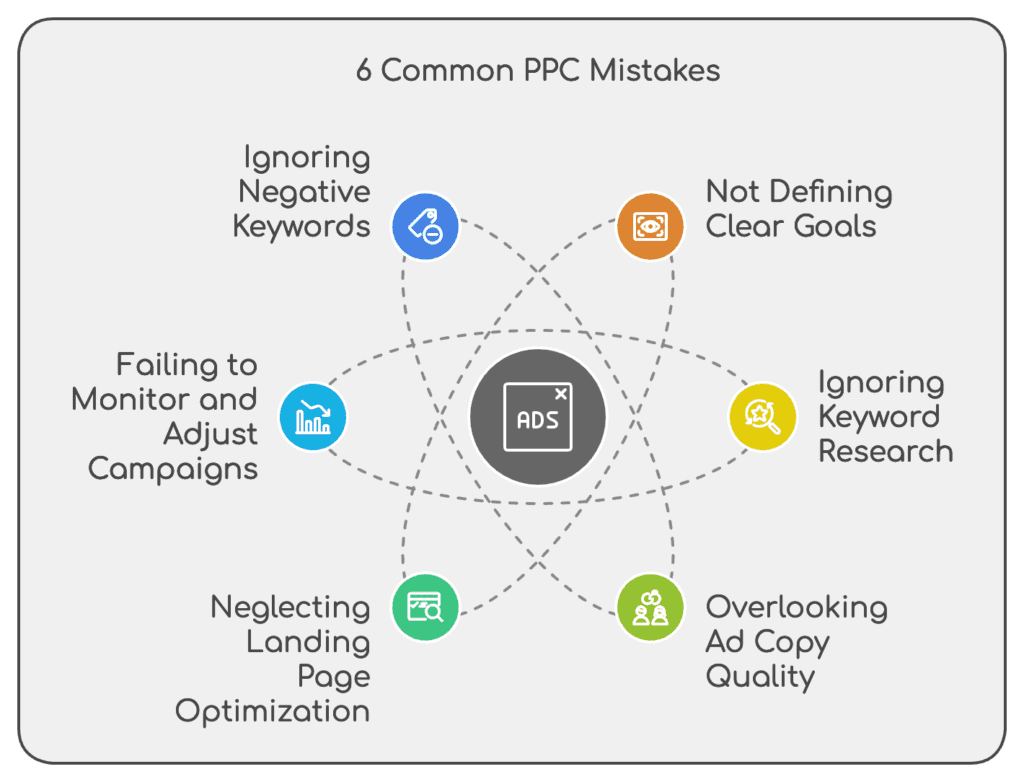
The issue is rarely one single bad setting. It is usually a chain of small errors. The goal is vague. Conversion tracking is half-finished. Keywords are too broad. Negative keywords are missing. The landing page does not match the ad. The bidding strategy is asked to optimize with weak data.
A paid search account can survive one mistake. It cannot survive ten at once.
This guide covers the common PPC mistakes that hurt first campaigns most. It is written for business owners, junior marketers, freelancers, and startup teams who want to launch carefully instead of learning through wasted spend.
The focus is practical. You will learn what each mistake looks like, why it hurts performance, and how to prevent it before your budget disappears.
| PPC mistake | What usually happens | Best beginner fix |
|---|---|---|
| No clear campaign goal | The campaign optimizes for clicks, not business results | Define one primary conversion before launch |
| Broken tracking | Leads or sales are missing, duplicated, or misread | Test every conversion action before spending |
| Wrong campaign type | Budget goes to low-intent placements | Start with the format that matches demand |
| Messy structure | Ads, keywords, and budgets become hard to control | Group campaigns by goal, location, offer, and intent |
| Poor keyword intent | Clicks come from people who are not ready to act | Separate research queries from buyer queries |
| Misused match types | Ads show for searches that are too broad | Use match types with clear controls |
| No negative keywords | Budget leaks into irrelevant searches | Build a starter list and review search terms early |
| Wrong targeting settings | Ads reach the wrong location, language, or device mix | Check location, device, and audience settings manually |
| Poor budget and bidding choice | The campaign spends before it learns | Match bidding to tracking quality and data volume |
| Weak ad copy and assets | The ad blends in or attracts the wrong click | Match the headline, offer, proof, and call to action |
Before You Launch: Why First PPC Campaigns Usually Fail
Most first campaigns fail before the first click.
That sounds harsh, but it is usually true. The campaign is often built around a hopeful idea, not a clear system. A beginner may think, “I need traffic,” so they set up ads to get traffic. A more experienced advertiser asks a better question: “What action do I want from the right person, and how will I measure whether that action is worth the cost?”
That mindset changes everything.
A strong first campaign has boundaries. It knows who should see the ad. It knows what search terms matter. It knows what conversion should be counted. It knows which locations are profitable. It knows when to pause, when to wait, and when to test.
A weak campaign has none of that. It buys clicks and hopes the platform figures out the rest.
PPC Is Buying Measurable Intent
PPC marketing is not the same as general awareness marketing. In paid search, you are paying to appear when someone shows intent. That intent may be strong, weak, urgent, local, commercial, informational, or accidental.
Someone searching “emergency plumber near me” is different from someone searching “how plumbing works.” Both searches contain a related topic. Only one has clear buying intent.
This is why search intent matters as much as keyword volume. A high-volume keyword can still be a poor paid keyword if the intent is mixed. A lower-volume keyword can be valuable if the person searching is close to booking, calling, buying, or requesting a quote.
Your first campaign should not chase the largest audience. It should chase the clearest intent.
The First Campaign Needs Guardrails, Not Guesswork
A first campaign should feel controlled. That does not mean tiny. It means deliberate.
Before launch, the account should have a few basic guardrails:
- One primary goal, such as calls, qualified leads, purchases, demos, or bookings.
- One clear audience and location scope.
- One clean conversion setup that has been tested.
- One starter negative keyword list.
- One landing page that matches the ad promise.
- One review rhythm for the first week.
This is not busy work. It is risk control.
Without these guardrails, the platform may still spend perfectly. It will just spend in ways that do not help your business.
Bad Data Hurts More Than Lost Budget
The first loss is money. The bigger loss is bad data.
If your campaign tracks the wrong action as a conversion, the bidding system learns from the wrong signal. If your broad keywords pull in weak searches, the account may collect click data from people who were never likely to buy. If form submissions include spam or poor-fit leads, the campaign may look successful while sales teams quietly hate it.
That is the hidden danger of PPC mistakes. They do not only waste today’s spend. They train tomorrow’s decisions.
Mistake #1: Launching Without Clear Campaign Goals and Business KPIs
The first mistake is starting with a platform goal instead of a business goal.
Google Ads may ask if you want sales, leads, website traffic, calls, app promotion, or awareness. That is useful, but it is not enough. A real PPC strategy needs to define what success means in business terms.
A lead generation campaign should not only ask, “Did we get leads?” It should ask, “Did we get leads that sales can contact, qualify, and close?” An ecommerce campaign should not only ask, “Did we get purchases?” It should ask, “Did those purchases leave enough margin after ad cost?”
This is where campaign goals and business KPIs matter.
Choose One Primary Goal Before Choosing a Campaign Type
Your first campaign should have one primary goal. Not five. Not “traffic and leads and sales and brand awareness.” One.
If you are a local service business, the goal may be phone calls or booking form submissions. If you sell products online, the goal may be purchases or purchase value. If you sell software, the goal may be demo requests or free trial signups.
The campaign type should follow the goal.
Search campaigns are often a good first choice when people already search for what you sell. Shopping campaigns fit ecommerce products. Performance Max can work for advertisers with clear conversion goals and enough tracking quality, but it reaches across multiple Google channels from one campaign, which can make early diagnosis harder for beginners. Performance Max is designed to access Google Ads inventory across channels including Search, YouTube, Display, Discover, Gmail, and Maps.
The mistake is choosing a campaign type because it sounds powerful, not because it fits the job.
Match PPC Metrics to Real Business Outcomes
Clicks are not a business outcome. Impressions are not a business outcome. Even conversions can be misleading if they are poorly defined.
A good first campaign should connect platform metrics to business metrics. Cost per click matters because it affects how many visits your budget can buy. Conversion rate matters because it shows whether those visits are taking action. Cost per acquisition matters because it shows what each lead, sale, or booking costs. Return on ad spend matters when purchase value can be tracked.
The platform can report the click. Your business has to judge the quality.
This is why a campaign may look good in the dashboard and still fail in the real world. A low cost per lead is not good if the leads are unqualified. A high click-through rate is not good if the ad attracts bargain hunters to a premium product. A high impression count is not good if the campaign is reaching people outside your service area.
A useful PPC campaign setup begins with the outcome you can afford.
Define a Good Conversion Before Google Starts Optimizing
A conversion should represent meaningful progress toward revenue.
For ecommerce, that usually means purchases, add-to-cart actions, checkout starts, or high-value product interactions. For lead generation, it may mean calls, quote requests, appointment bookings, demo requests, or completed contact forms.
The key is to separate primary conversions from secondary signals. A page view is useful for analysis, but it should not usually be treated the same as a sale. A button click may show interest, but it is weaker than a completed form. A newsletter signup may be valuable, but it may not belong in the same optimization bucket as a qualified sales inquiry.
If everything is a conversion, nothing is a conversion.
Mistake #2: Setting Up Conversion Tracking Too Late or Incorrectly
No first campaign should launch without tested Google Ads conversion tracking.
This is one of the most expensive beginner errors because every other decision depends on measurement. You need to know which keyword, ad, device, location, and search term produced the result. If tracking is wrong, the campaign cannot tell the difference between a valuable click and a useless one.
Google Ads conversion tracking is designed to show what happens after someone interacts with an ad, such as purchases, calls, app installs, or other valuable customer actions. Smart bidding systems also depend on conversion data when optimizing for conversions or conversion value.
Track Actions That Matter, Not Every Micro-Click
Beginners often track too little or too much.
Tracking too little means the account has no feedback. Tracking too much means the campaign optimizes toward shallow behavior. Neither is good.
A better approach is to choose a primary conversion that reflects business value. For a lawyer, that might be a phone call over a certain duration or a completed consultation form. For a dentist, it might be appointment requests. For an ecommerce store, it is usually purchases with value tracking.
Secondary actions can still be measured. They just should not confuse the main goal.
For example, you can track video views, scroll depth, button clicks, and product page visits for analysis. But if those actions are counted as primary conversions, the bidding system may optimize for people who browse instead of people who buy.
Avoid Duplicate, Missing, or Misfiring Conversion Tags
Broken tracking is not always obvious.
Sometimes the tag does not fire at all. Sometimes it fires twice. Sometimes it fires on the wrong page. Sometimes it counts a form button click even if the form fails. Sometimes a thank-you page can be refreshed and counted again.
These errors change how the account reads performance.
If conversions are undercounted, you may pause good keywords too early. If conversions are overcounted, you may scale bad traffic. If the tag fires on the wrong action, the campaign learns from the wrong behavior.
Before launch, test conversion actions manually. Submit the form. Place a test order if possible. Click the phone button. Check whether the conversion appears in the correct platform. Confirm that the conversion name, category, attribution settings, and value are sensible.
Do this before money is spent.
Connect Google Ads, GA4, CRM, and Offline Sales Where Needed
First campaigns often stop measurement at the form fill.
That is fine for a tiny test, but it becomes weak fast. Lead quality matters. Sales outcome matters. Revenue matters. A campaign that brings 100 weak leads is worse than a campaign that brings 20 strong leads.
If your sales process happens offline, connect lead outcomes back where possible. A CRM can help you see which campaigns created qualified leads, appointments, proposals, or closed deals. Call tracking can help service businesses separate real calls from wrong numbers, spam, or short accidental taps.
The more accurate your conversion data is, the smarter your later optimization can become.
Mistake #3: Choosing the Wrong Campaign Type, Network, or Platform
The wrong campaign type can make a good offer look bad.
A beginner may launch a Display campaign because the clicks are cheaper. Then they wonder why the leads are weak. Another advertiser may launch Performance Max without enough conversion data and feel lost because the traffic sources are harder to isolate. Another may combine Search and Display because the setup screen made it easy.
Cheap clicks are not always good clicks.
Start With Search When People Already Demand the Product
Search campaigns work well when people already know the problem, product, or service they need. The intent is visible in the query.
For example, “same day AC repair,” “buy office chair online,” “PPC agency for SaaS,” and “wedding photographer Lahore” all show clear direction. The advertiser can write a relevant ad and send that person to a focused page.
That is why Search is often the safest starting point for many first campaigns. It gives clearer control over keywords, search terms, ad copy, and landing pages.
This does not mean Search is always best. It means Search is easier to diagnose when you are learning.
Use Display, YouTube, and Demand Campaigns Carefully
Display and video campaigns can be useful. They can also drain a beginner budget if the goal is immediate leads or sales.
People browsing websites or watching videos may not be ready to act. They may click by accident. They may be curious but not commercial. The ad format may generate awareness, but your dashboard may not show direct sales quickly.
That does not make these channels bad. It means they need the right expectation.
If your budget is small and your conversion path is untested, start where intent is easier to read. Use broader channels once tracking, landing pages, and offer clarity are stronger.
Know When Performance Max Is Too Broad for a Beginner Test
Performance Max is powerful, but it is not a magic fix.
It can reach across several Google placements from one campaign. That reach can help mature accounts find more conversions. For a new advertiser, it can also make troubleshooting harder because many levers are automated.
Performance Max is designed to complement keyword-based Search campaigns and find more converting customers across multiple Google channels. That means it works best when your conversion tracking, creative assets, feed quality, audience signals, and goals are already in good shape.
If you cannot explain what a good conversion is yet, do not expect automation to rescue the campaign.
Mistake #4: Building a Messy PPC Campaign Structure
A messy structure hides what is working.
Many beginners create one campaign, one ad group, and stuff every keyword inside it. Others create too many campaigns and ad groups before they have enough traffic to learn anything. Both approaches create problems.
A healthy structure gives you control without making the account impossible to manage.
Group Keywords by Search Intent, Not Just Similar Words
A good ad group is not only a bucket of similar keywords. It is a bucket of similar intent.
“PPC agency,” “PPC consultant,” and “Google Ads management” may belong together if the offer and landing page are similar. “What is PPC” probably does not belong in the same ad group because the searcher is learning, not hiring.
This matters because ad copy should match intent. If your ad group mixes beginners, job seekers, price shoppers, and ready buyers, the ad becomes generic. Generic ads get weaker clicks. They also send mixed signals to the landing page.
A clean structure makes relevance easier.
Separate Campaigns When Budget, Goal, Location, or Offer Differs
Create separate campaigns when you need separate control.
If two services have different margins, separate them. If two cities have different budgets, separate them. If branded keywords and non-branded keywords behave differently, separate them. If one campaign is for sales and another is for leads, keep them apart.
Budget lives at the campaign level. That alone makes structure important.
If a high-volume service and a niche service sit in the same campaign, the high-volume one may consume most of the budget. If two locations sit together, you may not control how much each location receives. If brand and non-brand traffic sit together, the brand terms may make the whole campaign look better than it is.
The goal is not complexity. The goal is clean decision-making.
Avoid Both Over-Segmentation and One Giant Ad Group
Old PPC advice often pushed extreme segmentation. Some advertisers still try to create one ad group for every keyword. That can create too many tiny data pockets.
The opposite mistake is one giant ad group. That makes ads less relevant and reporting less useful.
A beginner-friendly structure sits in the middle. Use themed ad groups. Keep the campaign simple enough to manage. Give each ad group enough traffic to learn. Keep the keyword-to-ad-to-page relationship tight.
If you cannot write one strong ad that fits every keyword in an ad group, the ad group is probably too broad.
Mistake #5: Targeting Keywords Without Understanding Search Intent
Keyword research is not about collecting every phrase related to your product.
It is about finding the searches that match your offer, budget, funnel stage, and sales process. First campaigns often fail because they target keywords that are topically relevant but commercially weak.
That is a costly difference.
Separate Research Searches From Buyer Searches
A research keyword usually starts with curiosity. A buyer keyword usually starts with a problem, comparison, purchase, or service need.
For example, “what is PPC” is informational. “PPC management pricing” is commercial. “hire PPC agency” is transactional. “Google Ads consultant near me” is high-intent and local.
All of these keywords may be relevant to a PPC business. They should not all be treated the same in a first paid campaign.
Research keywords may work for content marketing or remarketing. Buyer keywords are usually better for a first search campaign where budget is limited.
Avoid Broad, Expensive Keywords With Mixed Intent
Short keywords can hide many meanings.
“Shoes” may mean running shoes, formal shoes, shoe repair, shoe size chart, shoe rack, shoe polish, or shoe images. “CRM” may mean definition, software comparison, job role, course, pricing, login, or tutorial. “Marketing” is even broader.
Broad topical keywords can produce impressions and clicks. They can also burn money before you learn anything useful.
For a first campaign, broad topical keywords should be handled carefully. Use more specific phrasing. Watch search terms. Add exclusions. Match the keyword to a real offer.
A keyword is not good because it has volume. It is good because it can produce the right action at a cost you can afford.
Use Long-Tail Keywords to Control Relevance and Cost
Long-tail keywords often reveal stronger intent.
Someone searching “best CRM for real estate agents” is easier to understand than someone searching “CRM.” Someone searching “emergency electrician open now” is much clearer than someone searching “electrician.” Someone searching “buy pink salt tiles for sauna wall” is much more specific than someone searching “salt.”
Long-tail keywords may have lower volume, but they often give beginners more control. They help you write more relevant ads. They help landing pages match the query. They reduce the number of irrelevant interpretations.
A first campaign does not need every keyword. It needs the right starting set.
Mistake #6: Misusing Keyword Match Types
Keyword match types control how closely a search needs to match your keyword before your ad can show. Google Ads uses broad match, phrase match, and exact match to manage reach and relevance. Broad match can serve ads on a wider variety of searches, while exact match can focus on more specific searches.
This setting is simple to choose and easy to misuse.
Broad Match Can Scale Fast, But It Needs Strong Controls
Broad match keywords can help discover search demand. They can also move far beyond what a beginner expects.
Broad match considers many signals. It may match to searches that do not contain the same words. This can be useful in mature accounts with strong conversion data and smart bidding. It can be risky in a fresh account with weak tracking and a small budget.
The biggest beginner mistake is using broad match before the account has guardrails.
If you use broad match early, pair it with strict negative keywords, clear conversion tracking, enough budget to learn, and regular search terms review. Do not use it as a shortcut because you skipped keyword research.
Phrase Match Balances Reach and Relevance
Phrase match gives more control than broad match while still allowing some variation.
For many first campaigns, phrase match is a safer starting point. It allows the platform to match related searches while keeping the query closer to your keyword theme.
Still, phrase match is not set-and-forget. You need to review the search terms report. You need to catch irrelevant patterns. You need to decide which queries deserve exact match keywords, which deserve negative keywords, and which should be left alone.
The real skill is not choosing one match type forever. The skill is using match types based on risk, data, and intent.
Exact Match Helps Protect High-Intent Queries
Exact match keywords are useful when a search is especially valuable.
If a query has clear commercial value, exact match gives you more control. It can help protect core terms from being mixed with broader traffic. It can also make reporting easier because you know which high-intent searches are driving performance.
Exact match is not as rigid as it used to be. It can still match close variants. But it remains useful when you want tighter control around your best terms.
A first campaign can use a mix. Phrase match for controlled discovery. Exact match for obvious buyer terms. Broad match only when the account has enough protection and tracking quality.
Mistake #7: Ignoring Negative Keywords and the Search Terms Report
Missing negative keywords is one of the fastest ways to create wasted ad spend.
Negative keywords prevent your ads from showing on searches that are not relevant to what you sell. Google’s own guidance explains that negative keywords help exclude search terms and focus ads on relevant customers.
This is not optional cleanup. It is budget protection.
Build a Starter Negative Keyword List Before Launch
Do not wait until money is wasted to block obvious poor-fit searches.
A starter list depends on your industry, but many businesses should review words such as free, jobs, salary, course, template, DIY, used, meaning, definition, PDF, complaints, wholesale, cheap, and repair. Not every word is bad for every business. A course provider should not block “course.” A discount seller may not block “cheap.” A hiring platform may not block “jobs.”
The point is not to copy a generic list blindly. The point is to think before launch.
Ask what your business does not want. Then block searches that clearly point there.
Review Search Terms in the First 72 Hours
The search terms report shows actual searches that triggered your ads. Google Ads guidance explains that advertisers can use this report to find irrelevant terms and add them as negatives.
This report is one of the first places to look after launch.
You are not only searching for waste. You are searching for patterns. Are people looking for jobs? Are they looking for free resources? Are they looking for a different product? Are they outside your service level? Are they searching for brands you do not sell? Are they using words that suggest they are not ready to buy?
Every poor-fit pattern can become a negative keyword. Every strong pattern can become a new exact or phrase match keyword.
Do Not Reuse Old Negative Lists Without Checking Conflicts
A negative keyword list can become too aggressive.
This happens when advertisers copy old lists from another account, another industry, or another campaign. It also happens when a business changes its offer but keeps old exclusions.
For example, a company that once blocked “free trial” may later launch a free trial. A premium brand that once blocked “cheap” may later run a discount campaign. A local business that expands into new areas may still exclude those locations from an old list.
Negative keywords protect spend, but they can also block growth. Review them with context.
Mistake #8: Targeting the Wrong Location, Language, Device, or Audience
Targeting mistakes are painful because they often hide in plain sight.
A beginner may choose a city, state, or country and assume only people physically there will see the ads. That is not always how the default setting works. Google Ads location targeting can include people in, regularly in, or interested in a location depending on the selected option. The “Presence” option narrows reach to people likely located in or regularly in the targeted area.
For local businesses, this setting can decide whether the budget reaches real prospects or curious outsiders.
Understand Presence vs Presence or Interest
If you serve only one physical area, review location options carefully.
A dentist in Karachi may not want clicks from people researching Karachi from another country. A local plumber may not want traffic from people who searched the city name once. A restaurant may care about people nearby, not people planning a future trip.
The default setting can be useful for hotels, tourism, universities, ecommerce, and businesses that serve people interested in an area. It can be wasteful for businesses that need the customer to be physically present.
This setting deserves manual review before launch.
Separate Locations When Value, Budget, or CPA Differs
Locations rarely perform the same.
One city may bring cheaper leads. Another may bring larger deals. One area may have better conversion rates because the landing page feels local. Another may spend heavily but produce weak leads.
If locations differ in value, give yourself control. Separate campaigns may be useful when each area needs its own budget, offer, language, ad copy, or landing page. At minimum, review performance by location and exclude areas that do not make sense.
Do not let one poor region quietly drain the whole test.
Do Not Ignore Mobile, Desktop, and Call Behavior
Device behavior changes intent.
Mobile users may call faster. Desktop users may compare longer. Tablet traffic may be low volume but still useful in some markets. Ecommerce checkout may perform better on one device than another. Local services may depend heavily on mobile calls.
Do not assume all devices deserve equal attention. Watch clicks, conversion rate, call quality, form quality, and cost by device.
If the campaign relies on calls, make the mobile experience simple. If it relies on checkout, test the checkout on a phone. If it relies on long B2B forms, check whether mobile users complete them or abandon them.
A device report can explain problems that keyword reports miss.
Mistake #9: Choosing a Budget and Bidding Strategy That Do Not Fit the Learning Stage
The first budget has one job: buy enough clean data to make a better decision.
It should not be so low that the campaign never learns. It should not be so high that errors become expensive before they are caught. A smart beginner budget is tied to expected cost per click, expected conversion rate, target CPA, and cash flow.
Guessing is not a strategy.
Set a Test Budget Based on Click Cost and Conversion Math
You do not need a perfect forecast. You need a realistic starting model.
If clicks cost $5 and you spend $10 per day, you may only buy two clicks daily. If your expected conversion rate is 5 percent, you may wait a long time for enough conversions to judge the campaign. That slow pace can lead to false conclusions.
On the other hand, if you spend aggressively before checking tracking, search terms, location targeting, and landing page quality, the account can waste money fast.
A simple test budget should answer three questions. How many clicks can we buy? What conversion rate would make sense for this offer? What cost per lead or sale can the business afford?
The answer gives your budget a purpose.
Avoid Bidding for Clicks When You Need Leads or Sales
Bidding strategy should match the goal.
Maximize Clicks can drive traffic, but traffic alone is not success. If the goal is leads or sales, click-based bidding may optimize toward people who are likely to click rather than people who are likely to convert.
Manual bidding can give beginners control, but it also requires regular attention. Maximize Conversions can work when tracking is clean. Target CPA can work when the account has enough conversion data and a realistic target. Target ROAS can work for ecommerce when revenue tracking is reliable.
The wrong bid strategy is not always “bad.” It is bad when it does not match the campaign’s stage.
Give Smart Bidding Clean Data Before Expecting Smart Results
Smart Bidding uses Google AI to optimize for conversions or conversion value in each auction. That sounds attractive, but automation depends on the signals you feed it.
If tracking is wrong, Smart Bidding learns from wrong data. If conversions are shallow, it optimizes for shallow outcomes. If the budget is too small, learning may be slow. If the target CPA is unrealistic, delivery may suffer.
Smart Bidding is not a replacement for strategy. It is a tool that performs better when the account has clean goals, enough useful data, and a reasonable budget.
Use automation, but do not surrender judgment.
Mistake #10: Writing Generic Ad Copy and Skipping Ad Assets
Weak ad copy usually has one of two problems. It says nothing specific, or it attracts the wrong person.
A beginner may write, “Best services at affordable prices.” That line could apply to almost any business. It gives no proof, no clear offer, no urgency, no fit, and no reason to choose your ad over the next one.
Good paid search copy is not clever for the sake of being clever. It is clear. It matches the search. It filters the wrong audience. It gives the right audience a reason to click.
Match the Headline to the Searcher’s Problem
The headline should make the searcher feel they are in the right place.
If someone searches “emergency roof repair,” the ad should not lead with “Quality Home Solutions.” It should speak to urgent roof repair. If someone searches “PPC audit service,” the ad should not talk only about general digital marketing. It should mention audits, wasted spend, account review, or performance diagnosis.
This is called message match. It connects keyword, ad, and landing page.
Message match improves relevance. It also helps filter clicks. The wrong people are less likely to click when the ad is specific. The right people are more likely to trust the page after clicking.
Use Benefits, Proof, Offers, and Clear CTAs
A strong ad usually includes a mix of relevance and persuasion.
The searcher already knows what they typed. Your job is to show why your offer fits. That can mean faster service, licensed experts, transparent pricing, free consultation, same-day delivery, strong reviews, official warranty, niche specialization, or a clear guarantee.
Do not overpromise. PPC magnifies weak claims. If the landing page cannot support the ad, the click becomes disappointment.
A clear call to action also matters. “Book a consultation,” “Get a quote,” “Shop online,” “Call now,” and “Schedule service” all tell the user what comes next.
Add Sitelinks, Callouts, Calls, Images, and Structured Snippets
Responsive search ads are only part of the ad experience. Ad assets can expand the ad and give people more paths to act. Callout assets can highlight offers or details such as free shipping or 24-hour service.
Use assets that support the decision. Sitelinks can point to pricing, reviews, services, product categories, or contact pages. Call assets help local and service businesses. Structured snippets can show service types, brands, neighborhoods, models, or product categories. Image assets may help when visuals affect trust.
Skipping assets makes your ad smaller, less useful, and less competitive.
Bonus Mistake: Sending Paid Traffic to a Weak Landing Page
A weak landing page can ruin a strong campaign.
The keyword may be right. The ad may be relevant. The bid may be fair. But if the page is slow, confusing, generic, or disconnected from the ad, the user leaves.
Landing page experience is also part of Quality Score. Google describes Quality Score as a diagnostic tool measured at keyword level, with components that include expected click-through rate, ad relevance, and landing page experience.
That means landing pages affect both user behavior and account diagnostics.
Keep Message Match Between Keyword, Ad, and Page
The landing page should continue the same promise.
If the ad says “Book Same-Day AC Repair,” the landing page should not open with a generic homepage slider. If the ad says “Affordable CRM for Real Estate Teams,” the page should not force the user to search through unrelated software categories.
The user clicked because of a specific promise. The page should confirm that promise fast.
Use the same language. Show the relevant offer. Answer the obvious objections. Make the action easy.
Make the Page Fast, Mobile-Friendly, and Conversion-Focused
Paid traffic is impatient.
A slow page loses users before your offer gets a chance. A page that looks broken on mobile wastes mobile clicks. A page with too many distractions can reduce action. A page with unclear forms creates doubt.
Good PPC landing pages are not always fancy. Many are simple. They load fast. They state the offer clearly. They show proof. They make the next step obvious.
The job of the page is not to tell the whole company story. It is to help the searcher take the next useful step.
Remove Friction From Forms, Checkout, Calls, and Booking
Every extra step can reduce conversions.
For lead generation, ask only for information you need at this stage. For calls, make the phone number visible on mobile. For ecommerce, reduce checkout confusion. For booking, show available times clearly. For consultations, explain what happens after the form.
Before sending paid traffic, test the page yourself:
- Open it on mobile data, not only office Wi-Fi.
- Submit the form and confirm the thank-you page works.
- Click the phone number.
- Test the checkout or booking flow.
- Read the page as a skeptical buyer.
- Check whether the ad promise appears above the fold.
Small friction points become expensive when every visitor costs money.
How to Diagnose PPC Mistakes in the First 7 Days
The first week is not about panic. It is about checking whether the campaign is collecting clean data.
Do not judge a campaign only by sales on day one. But do not ignore obvious errors either. A broken tag, wrong location, disapproved ad, irrelevant search term, or runaway budget should be fixed fast.
Use the first week to separate setup errors from performance patterns.
| Time after launch | What to check | What the issue may reveal |
|---|---|---|
| First 24 hours | Spend, approval status, tracking, locations, landing page, budget pace | Broken setup, wrong targeting, disapproved ads, bad tracking |
| First 72 hours | Search terms, early clicks, CTR, obvious irrelevant traffic, device mix | Keyword intent problems, missing negatives, poor match type control |
| First 7 days | CPA, conversion rate, lead quality, page behavior, ad performance | Weak offer, poor landing page, wrong bid strategy, bad audience fit |
| First 30 days | Search term themes, budget allocation, query winners, conversion quality | Scaling opportunities, account restructuring needs, long-term exclusions |
First 24 Hours: Check Spend, Tracking, Disapprovals, and Locations
The first day is a setup audit.
Check whether ads are approved. Check whether the budget is spending faster than expected. Check whether conversions fire correctly. Check whether traffic is coming from the right locations. Check whether the landing page loads. Check whether call buttons and forms work.
This is not the time for deep performance judgment. It is the time to catch obvious errors.
If spend is going to the wrong country, fix it. If conversions are double-counting, fix them. If the landing page is broken, pause the campaign. If the ad is disapproved, resolve the policy issue.
Do not let the campaign “learn” from a broken setup.
First 72 Hours: Review Search Terms and Early Conversion Signals
By the third day, you may start seeing query patterns.
Look at search terms. Are they close to your offer? Do they show buyer intent? Are they filled with “free,” “jobs,” “meaning,” “PDF,” or unrelated brands? Are people searching for a product you do not sell? Are they looking for help in a city you do not serve?
Add negative keywords where needed. Promote strong search terms into exact or phrase match keywords when they deserve more control. Watch which ads attract clicks, but do not judge winners too early unless the difference is extreme.
The first 72 hours should make the account cleaner.
First 7 Days: Compare CTR, CPC, CPA, Lead Quality, and Search Intent
After a week, you can start reading early performance more seriously.
A high CTR with poor conversions may mean the ad is attractive but too broad. A low CTR may mean the ad does not match the search well. A high CPC may be normal in a competitive market, or it may mean your keywords are too broad. A low CPA may look good until sales says the leads are poor.
Do not read metrics alone. Read them together.
The most useful first-week question is not “Is the campaign perfect?” It is “What is the biggest leak?” If the leak is tracking, fix tracking. If it is search intent, fix keywords and negatives. If it is conversion rate, fix the landing page or offer. If it is lead quality, fix the conversion definition and ad messaging.
What Not to Change Too Early in a New PPC Campaign
Beginners often make two opposite mistakes. They ignore the account for weeks, or they edit everything daily.
Both are risky.
A new campaign needs observation, but it also needs enough time to collect data. If you change bids, ads, keywords, budgets, and targeting every few hours, you may never know what caused the result.
Fix Structural Errors Immediately
Some problems should not wait.
Wrong location targeting should be fixed. Broken conversion tracking should be fixed. A dead landing page should be fixed. Ads pointing to the wrong page should be fixed. A keyword matching wildly irrelevant queries should be controlled. A budget set ten times higher than intended should be corrected.
These are not optimization tweaks. They are safety fixes.
A structural mistake can poison data from the beginning, so move quickly.
Wait for Enough Data Before Judging Keywords and Ads
Other decisions need more patience.
Do not pause a keyword after one click and no conversion. Do not rewrite every headline after a few impressions. Do not declare a landing page failure from five visits. Do not change bid strategy every day because the graph moves.
Paid search data is noisy at small sample sizes.
Set minimum thresholds before making judgment calls. The threshold depends on your industry, CPC, conversion rate, and budget, but the principle is stable. Give performance enough volume to mean something.
Avoid Blindly Accepting AI and Auto-Apply Recommendations
Google Ads recommendations can be helpful. They can also be misaligned with your business goal.
A recommendation may increase reach, add keywords, adjust bidding, or change assets. Some suggestions are useful. Some may increase spend without improving lead quality. Some may conflict with your strategy.
Automation should be reviewed like advice from an assistant, not an order from a boss.
Before accepting a recommendation, ask whether it supports your primary conversion, target location, budget, margin, and sales process. If the answer is unclear, do not apply it blindly.
First Campaign PPC Checklist: What to Review Before Going Live
A pre-launch checklist is boring in the best way.
It prevents expensive surprises. It also gives the team confidence that the campaign is ready to buy traffic.
Tracking and Measurement Checklist
Before launch, confirm the primary conversion action. Test the tag. Check the thank-you page. Confirm call tracking if calls matter. Make sure GA4 or another analytics setup is reading traffic correctly. Check that conversion value is passed where relevant.
Do not assume tracking works because the tag is installed. Test the real path.
A good first campaign should know what success looks like before the first click arrives.
Targeting, Keywords, and Budget Checklist
Review locations, location options, language, devices, campaign networks, daily budget, bidding strategy, keyword match types, and negative keywords.
Check whether Search and Display are separated. Check whether the budget can buy enough clicks to learn. Check whether broad match keywords are protected. Check whether the search intent fits the offer.
A good setup does not remove risk. It lowers avoidable risk.
Ad Copy, Assets, and Landing Page Checklist
Read the ad out loud. Does it say anything specific? Does the headline match the keyword? Does it filter the wrong audience? Does it give a clear next step?
Then check the landing page. Does the page match the ad? Is the offer visible fast? Is the form working? Is the mobile experience clean? Are trust signals present? Are ad assets added?
If the user’s path feels unclear to you, it will feel worse to a cold visitor.
Frequently Asked Questions About PPC Mistakes
What Is the Most Common PPC Mistake Beginners Make?
The most common mistake is launching before the campaign has a clear goal and reliable tracking.
Many other mistakes come from that first problem. If the goal is unclear, the campaign may optimize for clicks instead of real outcomes. If tracking is broken, you cannot judge keywords, ads, devices, locations, or bidding accurately.
A beginner can recover from weak ad copy. A beginner can recover from a small keyword issue. Bad tracking and vague goals damage every decision.
How Long Should I Run My First PPC Campaign Before Optimizing?
You should check setup within the first 24 hours. You should review search terms within the first few days. You should make deeper performance decisions after enough clicks and conversions have collected.
That does not mean you ignore the account. It means you separate safety fixes from performance judgment.
Fix broken tracking, wrong locations, disapproved ads, and irrelevant search terms quickly. Wait for more data before making broad conclusions about ad winners, bid strategy, or keyword profitability.
Should I Manage PPC Myself or Hire an Expert?
You can manage a small first campaign yourself if the offer is simple, the budget is controlled, and you are willing to learn the platform carefully.
Hire help when the budget is meaningful, the sales process is complex, tracking needs CRM or offline conversion setup, or mistakes would cost more than expert support. You should also consider help if your account has spent money for weeks with no clear diagnosis.
A good PPC expert does not only press buttons. They protect your budget, interpret data, and connect ad performance to business outcomes.
Are Free Clicks or Cheap Clicks Good for PPC?
Cheap clicks are only good if they come from the right people.
A low CPC can look attractive, but it may hide weak intent. Display clicks, broad informational searches, and accidental mobile clicks may cost less than high-intent search traffic. That does not mean they are better.
Judge clicks by what they lead to. Qualified calls, useful leads, purchases, and profitable revenue matter more than low cost per click alone.
What Should I Do If My First PPC Campaign Gets Clicks but No Leads?
Start with tracking. Confirm that conversions are working. Then check search terms. Look for irrelevant intent. Next, review ad copy. Make sure the ad is not attracting the wrong audience. Then check the landing page. Make sure the form, phone number, page speed, and offer are strong.
If all of those are clean, review the offer itself. Sometimes the campaign is not the only issue. Price, trust, timing, competition, and page clarity can all affect conversion rate.
How Much Should I Spend Before Deciding PPC Does Not Work?
There is no single number that fits every business.
A realistic test depends on CPC, conversion rate, sales cycle, and target CPA. If your clicks are expensive, you need enough budget to collect meaningful data. If your sales cycle is long, you need to track beyond the first form fill. If your conversion rate is low, you need more traffic to judge accurately.
The better question is: did the campaign get a fair test? A fair test has clean tracking, relevant keywords, controlled targeting, strong landing pages, and enough click volume to read patterns.
Many campaigns are declared failures before they are set up well enough to learn from.
Final Takeaway: Your First PPC Campaign Should Be Small, Clean, and Measurable
The best first campaign is not the biggest. It is the cleanest.
Start with one clear goal. Track it correctly. Choose a campaign type that matches intent. Build a simple structure. Use keywords that reflect real buyer behavior. Control match types. Add negative keywords. Check location and device settings. Match budget and bidding to the learning stage. Write specific ads. Send traffic to a page that can convert.
That is how you avoid the most expensive Google Ads mistakes.
PPC rewards clarity. The clearer your goal, tracking, targeting, message, and landing page, the less money you waste learning the basics.
Your first campaign does not need to be perfect. It needs to be measurable, controlled, and honest enough to teach you what to do next.