What Is Asset Management in Marketing? (Definition & Core Concept)
Understanding Asset Management in Marketing
Asset management in marketing means organizing, storing, and using all the materials a business creates to show its brand. These materials are called assets. They can be images, logos, videos, or documents. Asset management helps teams keep track of these items. It makes sure they use the right ones at the right time. Asset management is important because it supports brand consistency. It also helps save time and avoid mistakes.
Companies use asset management tools to help everyone find what they need quickly. A good system will sort and label assets. This helps marketing teams know which items to use for each project. It also keeps outdated materials from being used by accident. Asset management is the backbone of good marketing workflows.
Key Elements of Marketing Asset Management
There are a few main features in asset management for marketing. First, a centralized storage spot is used for all assets. This is often a digital asset management (DAM) platform. Second, there is version control. This stops teams from using old or changed files by mistake. Third, access controls help manage who can see or edit each asset.
Another important feature is metadata management. Metadata is information about each asset, like when it was made or what campaign it belongs to. This helps users find assets fast. Automated workflows also make sure the right steps are followed before anything is shared. These steps help make marketing work smooth and safe.
| Feature | Purpose |
|---|---|
| Centralized Storage | Keeps all assets in one place |
| Version Control | Stops use of outdated files |
| Access Controls | Manages who can edit or use each asset |
| Metadata Management | Adds info to help find assets quickly |
| Automated Workflows | Ensures correct steps before sharing files |
Why Asset Management Matters for Marketing Teams
Asset management in marketing makes work easier for everyone. Teams do not waste time searching for files or asking if an asset is approved. This leads to faster project delivery. Asset management also protects the brand by making sure every asset follows brand guidelines. This means colors, logos, and messages stay the same everywhere.
When marketing teams use strong asset management, they can handle more projects. They can also share assets safely with others, like outside partners. This keeps the brand’s look and feel strong, no matter who is working on a project.
Digital Asset Management (DAM) vs. Brand Asset Management vs. Marketing Asset Management
What Is Digital Asset Management (DAM)?
Digital Asset Management, or DAM, is a system for storing and organizing digital files. This means things like images, videos, documents, and audio. DAM systems help teams find and use files quickly. They use features like metadata, version control, and advanced search. A DAM makes it easy to share files with others in the company. It also keeps assets safe and organized in one place. Many departments use DAM, not just marketing teams.
Brand Asset Management (BAM) Explained
Brand Asset Management, or BAM, focuses on assets tied to a brand. It keeps logos, colors, fonts, and brand guidelines safe and easy to find. BAM ensures these brand assets always follow the same rules. This helps keep the brand’s look and feel strong and consistent. BAM adds special controls for who can change or use brand resources. It tracks how assets are used to keep the brand safe. Teams can use BAM to make sure all marketing materials match brand guidelines.
| Feature | DAM | BAM |
|---|---|---|
| Asset Types | All digital files | Brand-related assets |
| Focus | Storage and retrieval | Brand consistency |
| Access Control | Yes | Strict for brand assets |
| Used By | All departments | Marketing, brand teams |
Marketing Asset Management (MAM) Overview
Marketing Asset Management, or MAM, focuses on assets for marketing campaigns. These include ads, brochures, presentations, and social media graphics. MAM systems help plan, create, and share these materials. MAM often connects with DAM and BAM systems, but it focuses on marketing’s needs. It speeds up campaign launches and helps teams work together. Marketers use MAM to store templates and track how assets are used in campaigns.
| Feature | DAM | BAM | MAM |
|---|---|---|---|
| Asset Types | All digital files | Brand assets | Marketing campaign assets |
| Main Goal | Organization | Brand integrity | Campaign efficiency |
| Used By | All teams | Brand/marketing teams | Marketing teams |
Why Brand Guidelines Are Critical to Asset Management
Keeping Brand Identity Consistent
Brand guidelines help everyone use the same colors, logos, and fonts. This keeps the brand looking the same everywhere. When every team follows these rules, the brand stays strong even when many people work on different projects. This is important in marketing, where how things look matters a lot.
If teams do not follow the same brand guidelines, the brand can look messy. People might use the wrong logo or colors. This can confuse customers. With set rules, everyone knows what is right and what is not. Brand guidelines make it easy to spot mistakes before they leave the company.
Making Asset Management Easier
Brand guidelines help organize digital assets. When assets like images, videos, and documents follow the same rules, they are easier to manage. Digital Asset Management (DAM) systems use brand guidelines to sort and group files. This saves time when searching for what you need.
A table can show how guidelines help asset management:
| Brand Part | Example Rule |
|---|---|
| Logo Use | Only use on white backgrounds |
| Color Palette | Use blue and orange only |
| Fonts | Use Arial for all documents |
Clear guidelines help teams find and use the right files. This avoids mistakes and makes work faster.
Supporting Teamwork and Protecting Brand Value
Brand guidelines are useful for teamwork. When everyone understands the rules, they can work together better. Teams inside and outside the company can share files and know they follow the same rules. This helps projects move faster and cuts down on errors.
Brand guidelines also protect the brand’s value. They stop people from changing the logo, colors, or messages. This keeps the brand strong and trusted by customers. With strong asset management and clear brand rules, marketing teams can be sure every message looks right and feels right.
Key Benefits of Marketing Asset Management for Your Business
Better Brand Consistency
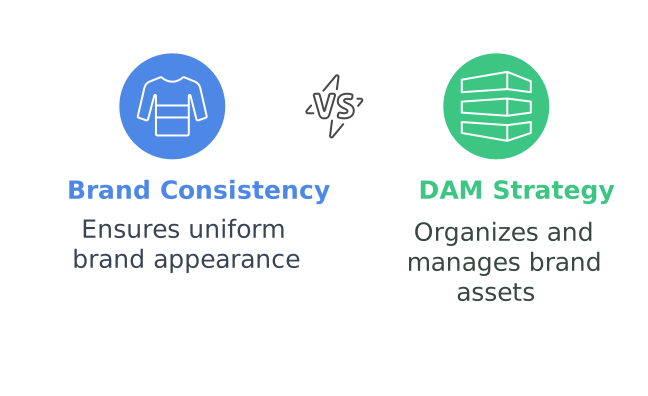
Marketing asset management helps keep your brand image the same everywhere. It uses brand guidelines to make sure everyone uses the same logo, colors, and designs. This keeps your brand looking strong and familiar to your customers. When everyone follows the same rules, people will trust your brand more. A digital asset management (DAM) system also helps teams find the right files quickly. No one wastes time looking for the latest logo or file. This makes work easier and keeps everything neat.
Using a centralized spot for your brand assets means all teams will use the same brand materials. You can make sure your logo, fonts, and images always match your brand style. Teams from different departments can work together without confusion. This helps your brand stay true to its message at all times.
Faster Workflow and Efficiency
Digital asset management saves time every day. With all your marketing assets in one place, teams can grab what they need fast. There is no need to search through emails or old folders. This helps your team finish projects faster and keeps work moving. A DAM system can also use workflows to check if assets follow brand guidelines before anyone uses them.
Asset management also helps everyone know which files are correct and up to date. Version control stops people from using old or wrong files by mistake. This means your customers always see the best and newest version of your brand materials. Having access controls lets you choose who can use or change brand assets, keeping your brand safe and secure.
Better Collaboration and Control
Marketing asset management makes teamwork easier. Teams can share files and ideas quickly, which leads to better projects. Working together is simpler when everyone knows where to find the right images, videos, or templates. You can also share assets with outside partners without losing control over your brand.
A DAM platform helps track how brand assets are used. You can see which files are popular and which ones need updates. This helps you decide what new assets you need and if your brand guidelines are working. With good asset management, your brand stays strong and easy to manage, even as your business grows.
Essential Features to Look for in Marketing Asset Management Software
Centralized Storage and Easy Access
Marketing asset management software should have a strong centralized storage system. This lets teams store all brand assets, like logos, images, and videos, in one secure place. Having everything in one spot helps teams find what they need faster and reduces time spent searching for files. Easy access also means that the right people can get the right assets when they need them.
A good system also includes user access controls. These controls decide who can view, edit, or share certain files. Setting these controls helps protect brand integrity and stops people from using outdated or wrong materials.
Brand Guidelines and Version Control
Brand guidelines must be part of the software. These guidelines tell users how to use logos, colors, and other key brand elements. With clear rules, teams can make sure the brand always looks the same, no matter who is using the assets. This protects the brand’s image and makes marketing look more professional.
Version control is also important. It tracks changes made to each asset and keeps old versions on hand. When teams update a logo or other brand item, everyone can see which is the latest version. This helps avoid mistakes and keeps all projects using the most current assets.
Search, Metadata, and Collaboration Tools
Search tools help teams find assets fast. Good software lets users search by keywords, file types, or tags. Metadata makes this even easier. By adding details like project names or dates, teams can sort and filter files quickly.
Collaboration tools are another key feature. They let teams work together on projects, leave feedback, and share assets both inside and outside the company. Some systems even automate workflows, helping teams stay on track and get approvals faster.
| Feature | Why It Matters |
|---|---|
| Centralized Storage | Easy access and security |
| User Access Controls | Protects brand integrity |
| Brand Guidelines | Ensures consistency |
| Version Control | Prevents outdated use |
| Metadata/Search | Speeds up asset location |
| Collaboration Tools | Streamlines teamwork |
How to Implement Marketing Asset Management: 5-Step Guide
Step 1: Set Up Centralized Storage
Start by choosing a platform for storing your marketing assets. Use a Digital Asset Management (DAM) system. This keeps all your files—like images, videos, and brand documents—in one safe place. Centralizing storage makes it easy to find what your team needs quickly. It also helps keep assets organized by type, date, or project.
A DAM system supports access controls. This means you can decide who can view, edit, or download specific files. This control helps protect brand guidelines and keeps assets safe from unwanted changes. Regularly review your storage setup to make sure it meets your team’s needs.
Step 2: Define and Document Brand Guidelines
Next, create clear brand guidelines. These rules cover logo usage, colors, fonts, and tone of voice. Write these rules in simple language. Use images and examples to help everyone understand.
Upload these guidelines into your DAM or BAM platform. This makes them easy for everyone to access. Keep the guidelines up to date. Review them often to check they reflect your brand’s current needs.
Step 3: Organize and Tag Assets
Organize your assets using folders, tags, and metadata. Tags make it easy to search for files. Use keywords like brand, logo, or campaign name. Metadata can include the date, creator, or usage rights.
Set up a table to track asset details:
| Asset Name | Type | Usage Rights | Last Updated |
|---|---|---|---|
| Logo_v2 | Image | Approved | 2024-05-01 |
| BrandVideo | Video | Restricted | 2024-06-15 |
This structure keeps your marketing team organized. It also makes collaboration easier.
Step 4: Set Up Workflows for Approval and Distribution
Automate your content creation and approval workflows. Use your DAM to set rules for who must review and approve assets. This helps avoid mistakes and speeds up the process.
Share approved assets with your team or outside partners. Use permission settings to control who can use or edit files. This keeps your marketing materials safe and up to date.
Step 5: Train Teams and Audit Regularly
Train your team on how to use the DAM platform. Show them how to follow brand guidelines and find assets. Make training simple and include step-by-step guides.
Schedule regular audits. Check that assets follow your current brand guidelines. Remove outdated files to keep your library clean. Audits help spot problems early and improve your asset management process.
Common Asset Management Mistakes (and How to Avoid Them)
Not Following Brand Guidelines
One big mistake is not following brand guidelines when managing digital assets. This can lead to mixed messages and confusion. Logos get used in the wrong colors. Images are used that don’t fit the brand’s style. When this happens, customers may not recognize your brand. It becomes hard to build trust.
To avoid this, make sure your brand guidelines are easy to find. Store them in your Digital Asset Management (DAM) platform. Use checklists or approval steps for new content. This helps teams follow the rules every time they use a brand asset. Training sessions can help everyone learn how to use brand assets the right way.
Poor Organization and Metadata
Another mistake is not organizing assets well. Files may get saved with unclear names, or in the wrong folders. Without good metadata, it’s hard to find the right file when you need it. Teams waste time searching, and sometimes use the wrong asset by mistake.
To avoid this, use a DAM platform that supports metadata management. Add clear tags and descriptions for each file. Use folders or categories that make sense for your team. This makes it faster to search and find what you need. Regularly update and audit your DAM system to remove old or unused files.
Lack of Version Control and Access Management
Sometimes, teams use outdated brand assets because there is no version control. Old logos or slogans show up in new campaigns. This hurts brand consistency. Another problem is giving too many people permission to change brand assets. This can lead to mistakes and even asset misuse.
To avoid this, use version control in your DAM platform. Make sure old versions are archived and the latest files are easy to find. Set up user access controls, so only certain people can make changes. Track who downloads or edits each asset. This helps prevent errors and keeps your brand safe.
| Mistake | How to Avoid It |
|---|---|
| Not following brand guidelines | Store and teach guidelines |
| Poor organization | Use metadata, clear folders |
| No version control | Archive old files, restrict access |
Top Marketing Asset Management Solutions Compared (2026)
Leading Solutions for Marketing Asset Management
Marketing teams need the right tools to keep their brand assets safe and easy to find. There are many platforms that help with asset management, each offering unique features. Choosing the best one can help companies keep their brand consistent and organized. Some of the top solutions are Orange Logic DAM, Ethos, and Brandfolder.
Orange Logic DAM stands out for its strong focus on brand guidelines and digital asset management (DAM). It helps teams manage creative files, set up workflows, and keep everyone on the same page. This platform supports departments working independently while still sharing assets across the company. It is used by many industries, such as media, retail, healthcare, and education.
Ethos is known for being a top brand asset management (BAM) platform. It puts brand guidelines and approval flows first, making brand assets easy to find and use. Ethos has tools for tracking, access control, and easy updating of brand materials. Brandfolder offers a simple interface with strong search tools, making it popular with marketing teams that need fast access to their files.
Comparing Features and Benefits
When picking a marketing asset management tool, it’s important to look at what each platform offers. Here is a simple table to compare key features:
| Platform | Type | Centralized Storage | Brand Guidelines | Workflow Tools | Access Control | Analytics |
|---|---|---|---|---|---|---|
| Orange Logic DAM | DAM | Yes | Yes | Yes | Yes | Yes |
| Ethos | BAM | Yes | Yes | Yes | Yes | Yes |
| Brandfolder | DAM | Yes | Basic | Yes | Yes | Basic |
Orange Logic DAM is best for companies needing strong workflows and compliance with brand rules. Ethos is best for those who want to focus on brand consistency and user-friendly brand guidelines. Brandfolder is good for teams that want quick search and sharing features.
Why the Right Solution Matters
The right platform makes sure brand assets are used correctly every time. It helps teams avoid mistakes and saves time. Good marketing asset management solutions support fast searching, clear brand rules, and easy sharing.
Each company has different needs. Some need deeper control over brand guidelines, while others want to manage many digital files. Picking the right tool helps marketing teams work better and keeps the brand strong.
The Future of Asset Management: AI and Automation
How AI is Changing Asset Management
Artificial intelligence (AI) is becoming a big part of digital asset management. Many companies use AI to make organizing assets faster and easier. AI can sort images, videos, and documents by reading what’s inside them. It can even tag files with keywords, like “logo” or “brand colors.” This means people spend less time looking for the right asset and more time on creative work.
AI also helps check if brand guidelines are being followed. For example, it can spot if the wrong logo is used on a poster. It can also see if the colors or fonts match the brand rules. This keeps the brand looking the same everywhere. In the future, AI will get better at understanding pictures and language. This helps companies keep their brand strong.
Automation Makes Workflows Easier
Automation is another tool that helps with digital asset management. It can handle tasks like moving files, sending approvals, or reminding teams about deadlines. With automation, teams do not have to remember every step. The system does it for them. This makes work faster and helps people avoid mistakes.
Automated workflows also make sure only the right people can change or use certain brand assets. This helps protect the brand and keeps things safe. Many platforms, like Orange Logic DAM, use automation to help teams work together. This is good for big companies where many people need to use brand assets.
Benefits of AI and Automation in Asset Management
AI and automation have many benefits for marketing teams. These tools make it easy to keep brand assets organized. They save time and lower the chance of errors. Teams can get files quickly, find the right version, and share assets with others. Below is a table that shows some key benefits:
| Benefit | How it Helps |
|---|---|
| Faster Search | Quick finding of assets |
| Consistent Branding | Follows brand guidelines |
| Saves Time | Automates tasks |
| Better Security | Limits access |
With AI and automation, digital asset management becomes smarter and smoother. Companies can focus more on their message and less on searching for the right files.
Key Takeaways: Building Your Asset Management Strategy
Understanding Asset Management in Marketing
Asset management in marketing helps teams use and organize digital files. This includes pictures, videos, and brand materials. A good strategy makes sure everyone uses the right logos, images, and templates. It also means teams spend less time searching for files.
With digital asset management (DAM) and brand asset management (BAM), marketing teams keep everything in one place. DAM systems help organize all digital content. BAM tools focus on brand files, such as colors, fonts, and logos. Both systems help protect the brand and keep everything up to date.
Steps to Build a Strong Asset Management Strategy
- Set clear brand guidelines. These rules show how to use logos, colors, and other brand assets.
- Store all assets in a safe, easy-to-find place. Use a DAM platform for all digital files. Use BAM features for brand-specific materials.
- Use metadata to tag files. It helps people find what they need quickly.
- Control who can change or use assets. Make sure only the right people have access.
- Train your team. Show everyone how to use the system and follow the brand rules.
Here is a simple table to compare BAM and DAM:
| Feature | BAM | DAM |
|---|---|---|
| Main Focus | Brand assets | All digital files |
| Users | Marketing teams | Many departments |
| Controls | Brand guidelines | File management |
| Example Tools | Ethos | Orange Logic DAM |
Benefits of Following a Good Asset Management Plan
A solid asset management strategy saves time. It helps teams stay on brand and avoid mistakes. With clear rules, assets are used the right way. This keeps a brand looking strong everywhere it appears.
Using BAM and DAM makes teamwork easier. People know where to find assets. They are sure files are correct and approved. This gives peace of mind and supports strong marketing campaigns.
Frequently Asked Questions About Asset Management in Marketing
What is Asset Management in Marketing?
Asset management in marketing is the process of organizing, storing, and sharing digital files. This includes images, logos, videos, and brand guidelines. The main goal is to make sure everyone in a team can find and use the right assets easily.
Digital Asset Management (DAM) systems, like Orange Logic DAM, help store all digital files in one place. This makes it simple to manage and track which assets are being used. Brand Asset Management (BAM) goes a step further, focusing on brand-specific assets and how they should be used.
How Do Brand Guidelines Fit Into Asset Management?
Brand guidelines are a key part of asset management. They explain how to use logos, colors, fonts, and images. Following these rules keeps your brand looking the same everywhere.
DAM platforms help teams stick to these brand guidelines. For example, they use metadata and templates to make sure assets meet brand standards. Access controls stop changes that could hurt the brand.
What Are the Benefits of Using a DAM Platform?
Using a DAM platform has many benefits. It saves time by making it easier to find and approve assets. It also keeps brand quality high and helps teams work together. Tracking tools show how assets are being used across channels.
Many DAM systems offer features like version control, user access management, and integration with other tools. These help teams stay organized and protect the brand’s identity.
| Feature | Benefit |
|---|---|
| Centralized Storage | Keeps all assets in one place |
| Metadata Management | Improves search and retrieval |
| Access Controls | Protects brand integrity |
| Version Control | Prevents outdated materials |